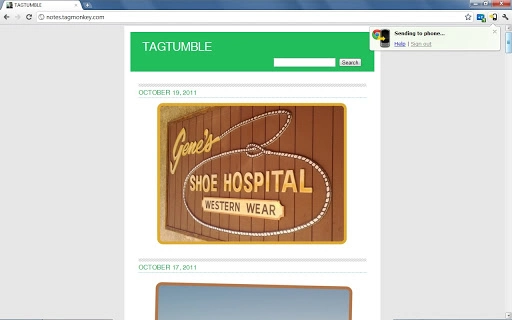

Send Links to Your Phone from Chrome
The Chrome to Phone extension was introduced in 2010 to simplify the transfer of web content from desktop to mobile devices. Its primary purpose was to allow users to send links, directions, and text messages directly from their Chrome browser to their smartphone with minimal effort. This tool addressed a common workflow gap for users who frequently switch between devices, particularly those relying on Google’s ecosystem for productivity and daily tasks.
Target users included professionals, students, and general consumers who needed quick access to web content on their mobile devices. The extension was especially useful for individuals managing multiple tasks across platforms, such as saving articles for later reading or sharing location details during travel. It operated within the Chrome browser environment, requiring no additional software installation on the phone beyond a compatible Google account.
Despite its utility, the extension has been officially deprecated. Google discontinued support effective March 31, 2016, and the tool no longer functions. However, the core functionality it provided—sending links, directions, and messages to a mobile device—has been integrated into modern Google services. Users can now achieve similar results through Chrome’s built-in sync features and direct voice or text commands within the Google search bar.
The developer did not provide additional system requirements. The extension was designed for use with the Chrome browser on Windows, Mac, and Linux operating systems. It required a Google account to operate and relied on cloud-based synchronization between devices.
Key Features & Capabilities
- Link Transfer: Users could select a web page in Chrome and send it directly to their phone. This was useful for saving articles, tutorials, or resources for offline access later.
- Directions Sharing: Typing “send directions to my phone” into the Google search bar allowed users to input a destination and send navigation instructions to their mobile device.
- Text Message Sending: The extension enabled users to send short notes or reminders to their phone by typing a command in the search bar, ideal for quick task reminders or to-do lists.
- Cloud-Based Sync: All data was transmitted via Google’s servers, ensuring secure and reliable delivery across devices without requiring manual file transfers.
- Browser Integration: The extension operated seamlessly within the Chrome browser, requiring no additional setup beyond installation and login.
Each feature was designed to reduce friction in cross-device workflows. For example, a user researching a restaurant could send the link to their phone while on the go, or a student could send a study guide to their device during a commute. These capabilities supported a more connected digital experience, aligning with the growing trend of multi-device productivity.
User Interface, Workflow & Performance
The Chrome to Phone extension featured a minimalistic interface, integrated directly into the Chrome browser’s toolbar. Users accessed its functions through a small icon, which displayed a menu of available actions such as sending links, directions, or text.
Navigating the extension was straightforward. After installation and login, users could trigger actions by selecting a link, typing a command in the Google search bar, or using the toolbar menu. The workflow was consistent across all supported platforms, ensuring a predictable user experience.
Performance was generally efficient, relying on Chrome’s existing infrastructure and Google’s cloud services. The extension did not require significant system resources, as most processing occurred on Google’s servers. However, the developer did not specify resource usage details.
Stability was maintained through Google’s robust backend systems. The extension functioned reliably during its active period, though its long-term viability was impacted by Google’s shift toward integrated services. Performance observations are based on general software behavior patterns.
Compatibility & System Requirements
Chrome to Phone was compatible with Windows, Mac, and Linux operating systems. It required the Chrome browser to function and was designed for use with Google accounts.
The installation size was 300 KB, indicating a lightweight footprint. The extension did not require additional software or drivers on the mobile device beyond a compatible Google account.
Exact system requirements were not listed. Compatibility information was partially provided, with support confirmed for major desktop platforms and the Chrome browser.
Pros and Cons
Pros
- Simple, intuitive interface for quick cross-device sharing
- Efficiently transfers links, directions, and text to mobile devices
- Lightweight at just 300 KB in size
- Seamless integration with Chrome and Google services
- Free to use with no additional costs
Cons
- Officially deprecated and no longer functional as of March 31, 2016
- Requires a Google account and active internet connection
- Dependent on Google’s cloud infrastructure, which may raise privacy concerns for some users
- Limited to Chrome browser and Google ecosystem
- No longer receives updates or security patches
FAQ Section
Is Chrome to Phone still available for download?
Chrome to Phone is no longer available for download or use. The extension was officially deprecated by Google and ceased functioning on March 31, 2016.
Can I still use Chrome to Phone on my device?
No. The extension is no longer functional. Any attempt to use it will fail, as Google discontinued its backend services.
What are the alternatives to Chrome to Phone?
Modern Google services now offer equivalent functionality. You can sync tabs across devices using Chrome’s built-in sync, send directions by typing a command in Google, or send notes via Google Search.
Is Chrome to Phone secure to use?
While the extension was secure during its active period, it is no longer maintained. Using outdated software poses security risks, and it is not recommended.
Does Chrome to Phone work on mobile devices?
Chrome to Phone did not require installation on mobile devices, but it relied on a compatible Google account. However, the service is no longer operational, so it cannot be used on any device.
Final Thoughts + CTA
Chrome to Phone was a pioneering tool that helped bridge the gap between desktop and mobile workflows. Its ability to send links, directions, and text with minimal effort was a significant step toward seamless multi-device productivity. While the extension is now obsolete, its legacy lives on through modern Google services that offer enhanced, integrated functionality.
For users seeking similar capabilities today, the built-in features of Chrome and Google Search provide a more reliable, secure, and up-to-date experience. These tools are actively maintained, support multiple platforms, and align with current digital workflows.
Download Chrome now and leverage the latest tools to send links, directions, and notes to your phone with ease.







